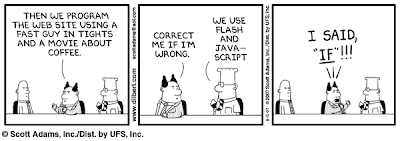
As embarrassing as it is but I have to admit that it took me three times to read this cartoon before I got the drift. Anyway, Flash is one of the items in my list of things I want to learn ASAP. I've been looking for a tutorial book but I haven't found one at a bargain price which, in my terms, is 300 pesos at the most. In any case, there are a lot of helpful tutorials online mostly from sites that are offering web hosting services for a fee. One only have to type "flash tutorial" in Google search to find a long list of this sites.
To show an example, I pasted a flash file which I got from Yahoo Answers. I first went to the page's page source (click view then page source in Firefox, or just Control+U) then Control+F to find the file-- *.scf. I copied the whole scf file name, pasted into this code <embed src=" the URL OF the .swf file " quality="high"></embed>, and then pasted the customized code in Edit Html of Blogger below.
BTW, if the Yamster the mouse isn't moving, Hit F5 or refresh.
Monday, November 19, 2007
Flash-- no, not the fast guy

Tuesday, November 13, 2007
Google Books Online
This is filed under Research
There may be an information explosion of tremendous proportions since the 1990's via the internet but one can't ever discount the value of published books which are more organized in content, written by more credible authors, edited by qualified editors and published by established publications. Google Books Search, which is in beta, has made it possible for researchers and book lovers alike to find the books they want to read or buy before they head off to their local bookstores or libraries. Some books which does not have copyright restrictions are even available in full view.
These are snapshots of what Google Books looks like. Click on the picture or caption to go to the actual web page:
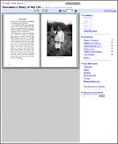
View the entire book
Snippet View
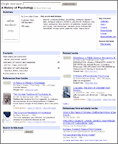
View a few sentences surrounding the search term
No Preview Available
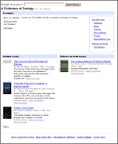
View basic information about the book
To make it even better, Google recently added cropping tool feature that would allow readers to copy and paste selections of the book. I don't recommend plagiarizing against book materials, but cropping tool allows a researcher to compile all the data onto a single source rather than opening and searching all the resource books every time the information is needed. Copy-and-paste feature also prevents misquotes when a portion of the book is quoted.
Saturday, November 10, 2007
Getting Traffic
This is filed under Marketing
Now that I already have a blog in place, the question that bugs me most right now is how do I get other people to read my blog? If I were one of my targeted readers, where do I usually go that would definitely lead me to this blog? Since my selling point is information and I'm targeting newbies like me, the most obvious answer would be the search engines with the most recall--Google and Yahoo. But I should be on the first to second page on the Search Engine Results Page (SERP) so the reader don't have to go too far along the results to find me. This entails Search Engine Optimization. I have read a 30-page instructional E-book on SEO but I have yet to try it out. I'll post my findings later on.
So far, based on my own personal internet experience,the sites that lead me to explore other blogs in my interests are in the PMT forums and blogs, Blogger help group and Yahoo Answers . If I want to gain an audience from the readers in these sites, I would have to be visible more often in these forums and give helpful advice of my own. Hopefully, I could offer help soon enough. I'll make some time after I make this blog a better site to visit than what it is right now.
Of course, an important factor that I need to consider is if the sites that I want to be visible in are getting good enough traffic in the first place. This is where Alexa comes in. Alexa is one my best web discoveries so far. It is one of my Firefox add-ons, (the other is ScreenGrab) with it's icon always on the lower right corner of my browser. It is where I learn the top sites with the highest traffic ranking on the internet. As of today, 10th of November 2007, the following are the top 10 sites most visited in the Philippines.
1. Friendster
2. Yahoo!
3. YouTube
4. Google.com.ph
5. Multiply
6. Google
7. Wikipedia
8. Blogger
9. Imeem
10. Photobucket
The full list is here. Aside from the traffic rankings, Alexa also gives info, among others, on each sites on the following:
⇒web description,
⇒year the site started online,
⇒and what other web pages the people who visit the particular site go to.
I could explore Alexa and all the sites it'll lead me to all day, but I still have a lot of improvements that I need to do on this site. I guess I'll just leave the internet analysis for later.